In Stock Hot Product
TP 3070T
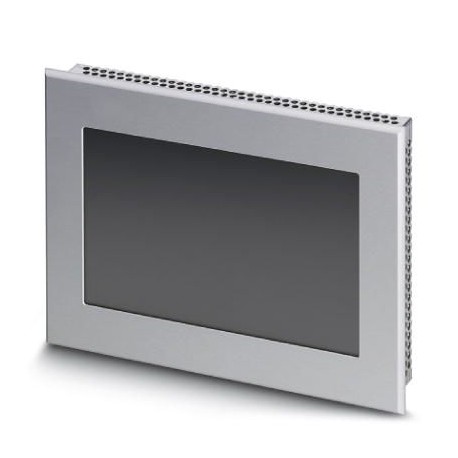
TP 3070T 2700911 PHOENIX CONTACT Touch panel with 17.8 cm (7.0") graphics-capable TFT display, 65,535 colors..
$0.00USD
3774 in stock
Key Specifications
:AX OPC Server
RAM:128 MB SDRAM
Shock:DIN EN 60068-2-27
Colors:65536 colors
Supplier Information
Products: 0
Usually ships within 2-3 business days
Quality Guaranteed
Fast Shipping
Technical Support
Technical Specifications
| Parameter | Value |
|---|---|
| AX OPC Server | |
| RAM | 128 MB SDRAM |
| Shock | DIN EN 60068-2-27 |
| Colors | 65536 colors |
| Weight | 1000 g |
| Display | 17.8 cm/7" TFT |
| Network | 1 x Ethernet (10/100 Mbps), RJ45 |
| Processor | Xscale®PXA320, 806 MHz |
| Bus system | without |
| Interfaces | 2x USB Host 1.1, 1x Compact Flash® |
| Resolution | 800 x 480 Pixel (WVGA) |
| Backlighting | LED |
| Mass storage | 1 GB Flash |
| Touch screen | Resistive industrial touch screen |
| Mounting type | Installation in front plate |
| User software | Visu+ |
| Realtime clock | Yes (battery-backed) |
| Operating systems | MS Windows®CE 6.0 |
| Optional interfaces | 1x CF card, type I and II |
| Degree of protection | IP65 (front), IP20 (back) |
| Vibration (operation) | DIN EN 60068-2-6 |
| Display backlight MTBF | 40000 h |
| External dimension, depth | 5 mm |
| External dimension, width | 203 mm |
| External dimension, height | 147 mm |
| Installation dimension, depth | 49 mm |
| Installation dimension, width | 195 mm |
| Installation dimension, height | 139 mm |
| Ambient temperature (operation) | 0 °C ... 50 °C |
| Permissible humidity (operation) | 20 % ... 85 % (non-condensing) |
| Note regarding external dimension | Dimensions of the front plate |
| Note regarding installation dimension | 55 mm, approximately with fieldbus interface |
| Ambient temperature (storage/transport) | -25 °C ... 70 °C |
| Permissible humidity (storage/transport) | 20 % ... 85 % (non-condensing) |
Product Description
More details
Key Features
- Industrial grade quality
- RoHS compliant
- CE certified
- 1-year warranty
Product Documents
Datasheet
Technical specifications and performance data
User Manual
Installation and operation guide


